
When Is the New System Launching?
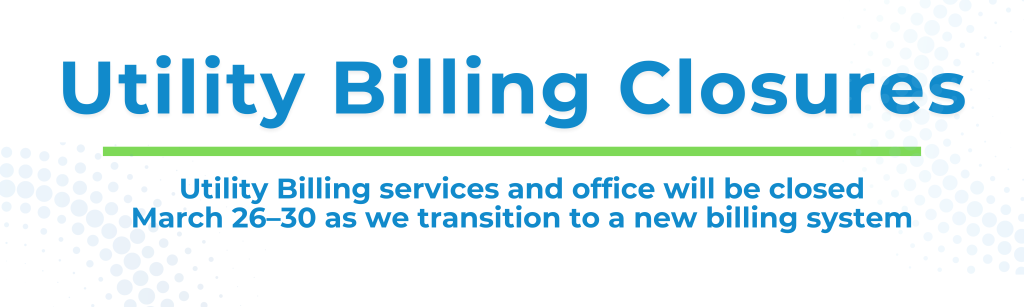
The new system is scheduled to go live March 31, 2026. Watch for launch details and instructions here, on social media, via email, and on your city bills.
Why the Change?
The Utility Billing Department is transitioning to a new system as the current system no longer supports the level of automation and functionality needed to serve our customers effectively.
In addition, the new system will integrate with the new digital water meter technology, providing customers with access to daily and hourly water usage data. This usage data will allow customers to better monitor consumption, identify potential leaks sooner, and make more informed decisions about their water usage.
We’re upgrading to deliver:
- A more modern, user-friendly online experience
- Easier access to account and billing information
- Water usage data
- Flexible payment features and scheduling
- Stronger security and faster service
- Customer service enhancements
All without changing how you receive or use your current utility service.
What’s Changing?
Old | New |
| Account number | Your account number will change – the new number will appear on your bill (starting April 2026) |
| Online login | The new system will require you to create a new login |
| Interface | Cleaner, mobile-friendly design |
| Billing history | Your billing history may not initially be available on the new system. Historic bills will be available through Customer Service and will be added to the system in phases. We appreciate your patience as we transition systems. |
| Water usage data | The new online portal and mailed printed bills will include water usage data. If you do not see this information in your online account or on your mailed bill, it may be because a digital meter has not yet been installed at your property or you previously opted out of installing a digital meter at your location. An interactive map is available where you can search your address and see the status of your digital meter installation – City of Amarillo Meter Route Status Map. Contact the City of Amarillo Customer Service for information. |
What Do I Need to Do?
For your FIRST BILL (mailed in April) in the new system, you will need to:
- Register your new online account and make a payment. After which you can set automatic payments going forward, or
- Make a payment by phone at 806-576-1932, or
- Pay in person at City Hall.
The First Bill in the new system will be mailed to all Utility Billing Customers, even if you had previously been paperless.
IMPORTANT: Previously scheduled payments and AutoPay are no longer active. Avoid missed payments by setting them up in the new system.
Pay Your Way!
You can still pay your utility bills the way you prefer.
- New online payment portal
- Pay-by-Phone by calling 806-576-1932
- In person at City Hall (623 S Johnson)
- Drive Through on north side of City Hall M-F, 11am-2pm
- By Mail to PO Box 100, Amarillo, Texas 79105
Logging into the New System Starting March 31
Step-by-step instructions will be available here when the system launches. Once you receive a bill with your new Account Number, you will use that to register.
- You will need the new Account Number listed on the bill, your Phone Number or Drivers License Number listed on your account, and Zip Code of the Mailing Address to create your new online profile.
- New Account Number will be on your new bill starting in April.
- Set your preferences for auto-pay, paperless billing, and alerts.
To help with the transition, no late fees will be charged through May. Note that this does not apply to accounts that are already 60 days or more delinquent.
More Ways to Pay
The new system gives you more ways to pay:
- Make a one-time payment
- Schedule recurring payments
- Pay multiple accounts in one place
- Sign up for paperless billing and email notifications
- Continue paying in person, by mail, or over the phone — those options stay the same
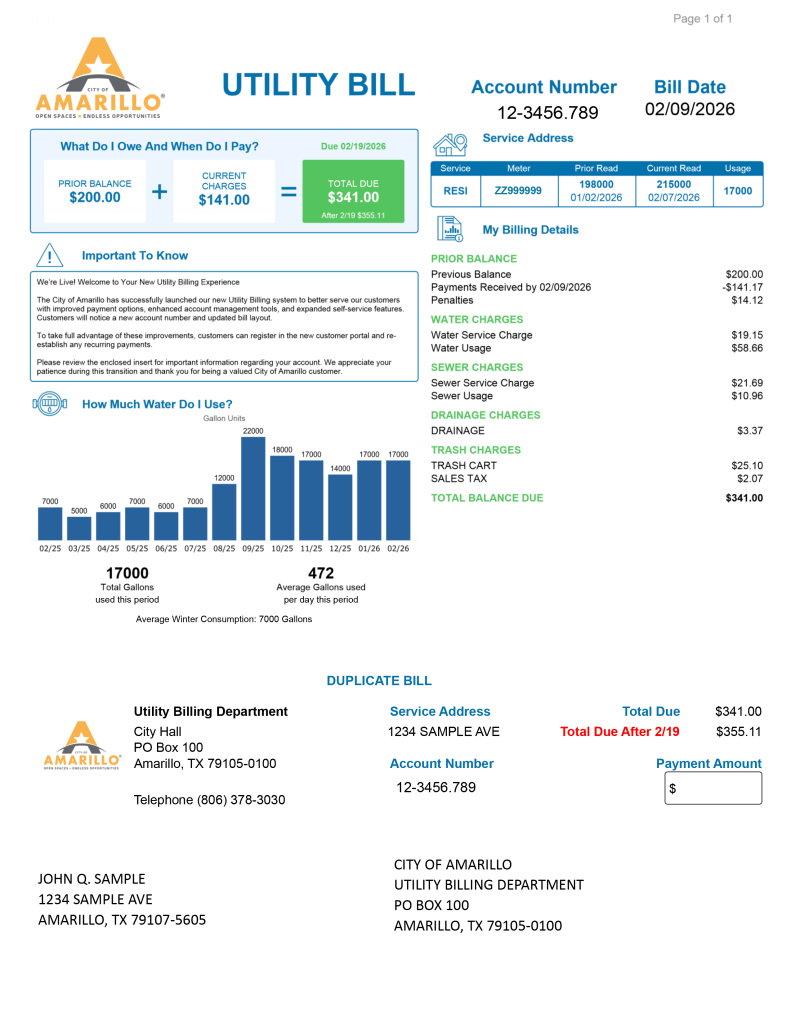
Your New Bill – Example
Sample Mailing Envelope
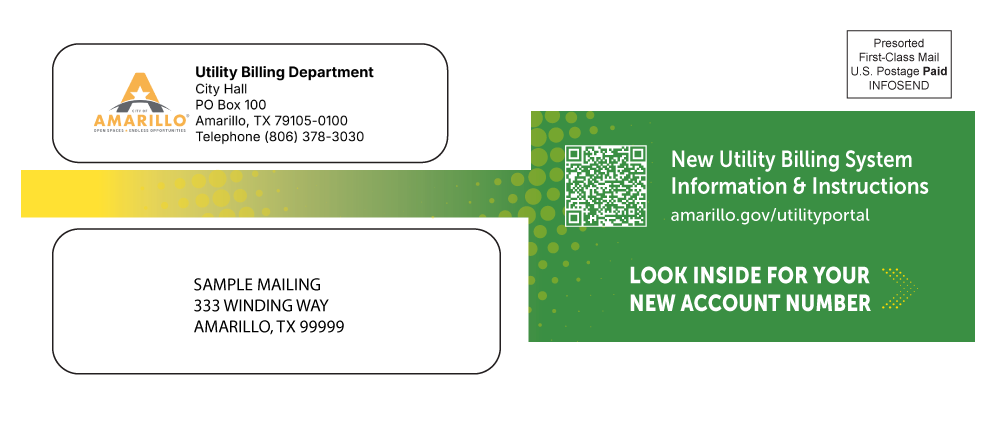
Every customer will receive a paper bill in April, even if they had previously been paperless. Watch for this envelope in your mailbox.
Sample Envelope
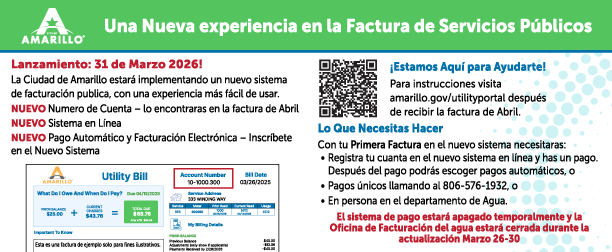
Bill Insert Information
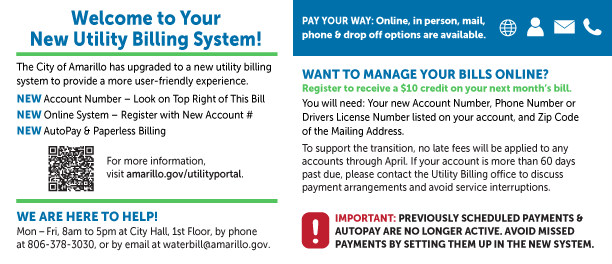
The new bills, starting in April 2026, will include an informational insert in English and Spanish to guide customers to more information and assistance.
Bill Insert – English
Bill Insert – Spanish
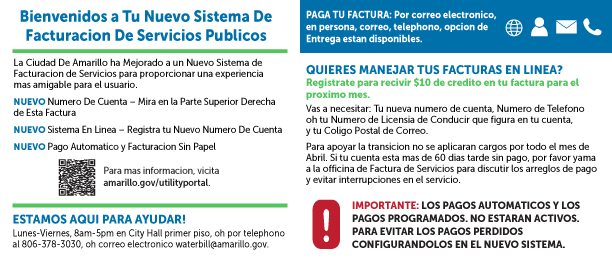
March Bill Insert
This bill insert has been mailed with all March paper bills to inform customers about the new system.
Bill Insert – English
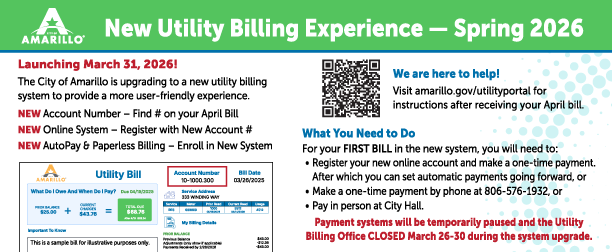
Bill Insert – Spanish
Didn’t the City already update the billing system a few years ago?
Why is the City changing utility billing systems again?
Will my account number stay the same?
Why do I need to re-enroll in AutoPay or online payments?
When will utility billing payment services be unavailable?
When can I access the new utility billing system?
Why am I just now hearing about this?
Will I receive my new account number by mail?
Yes. All utility billing customers will receive a paper bill in April that includes their new account number.
Look for this mailing in April (sample image above).